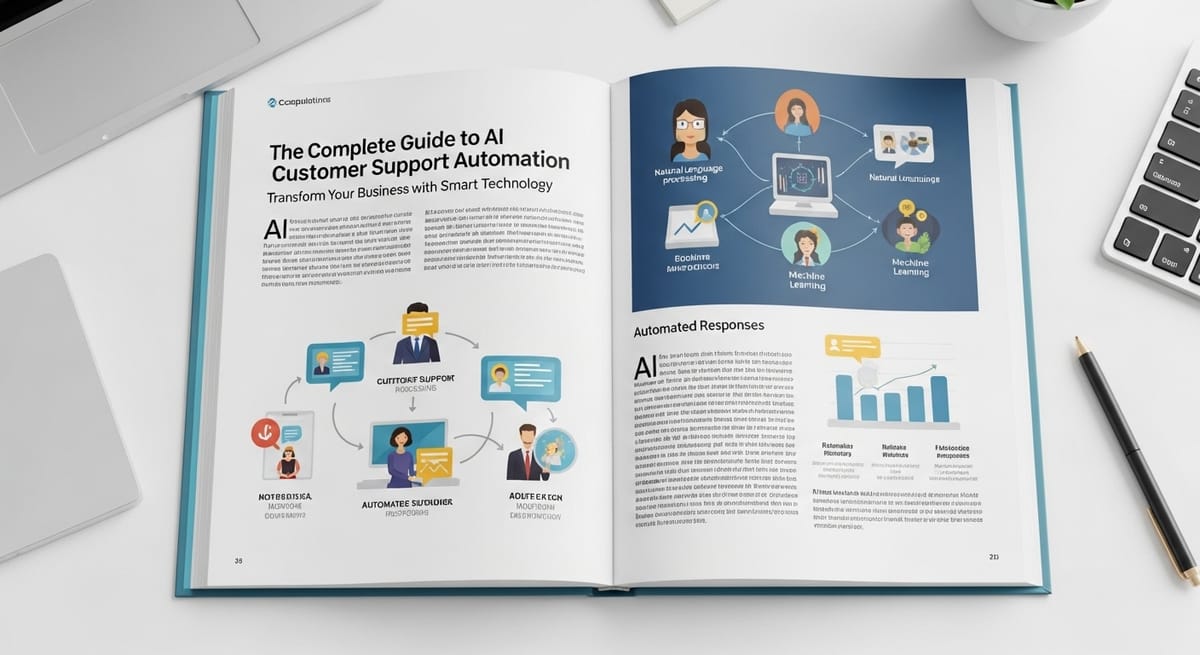
The Complete Guide to AI Customer Support Automation: Transform Your Business with Smart Technology
Customer service teams are drowning in tickets. Your support agents spend 70% of their time answering the same questions repeatedly, while customers wait hours for simple responses. Sound familiar?
You're not alone. Companies using AI-powered customer support see 60% faster response times and 35% cost reduction within the first year of implementation. But here's the catch: most businesses don't know where to start or which AI solutions actually deliver results.
This guide will show you exactly how to implement AI customer support automation that works, with real examples from companies that have successfully transformed their operations.
What Are Large Language Models (LLMs) and Why Do They Matter for Customer Support?
Think of Large Language Models as incredibly sophisticated digital assistants that have read millions of customer service conversations. Unlike basic chatbots that follow rigid scripts, LLMs understand context, nuance, and intent.
Here's a real example:
Traditional chatbot conversation:
- Customer: "My order hasn't arrived and I'm leaving for vacation tomorrow"
- Bot: "Please provide your order number"
- Customer: "I already gave it to someone yesterday!"
- Bot: "Please provide your order number"
LLM-powered conversation:
- Customer: "My order hasn't arrived and I'm leaving for vacation tomorrow"
- AI: "I understand this is urgent given your travel plans. Let me check your recent orders immediately. I can see you contacted us yesterday about order #12345. The package is currently delayed due to weather, but I can expedite a replacement to arrive before 10 AM tomorrow. Would you like me to arrange this?"
The difference is game-changing. LLMs process natural language like humans do, understanding urgency, emotion, and context clues that traditional systems miss entirely.
Popular LLM Solutions for Customer Support:
- OpenAI's GPT models - Powers tools like ChatGPT and integrates with platforms like Zendesk
- Google's PaLM - Available through Google Cloud Contact Center AI
- Anthropic's Claude - Excels at nuanced, helpful responses (like the one you're reading now)
- Meta's LLaMA - Open-source option for companies wanting full control
How AI Transforms Customer Support Operations
Modern AI customer support goes far beyond answering basic questions. Here's how leading companies are using it:
1. Intelligent Ticket Routing and Prioritization
Example: Shopify's AI Triage System Shopify processes over 100,000 support tickets daily. Their AI automatically:
- Identifies VIP customers and routes them to senior agents
- Detects urgent issues (payment failures, security concerns) and escalates immediately
- Categorizes technical vs. billing vs. general questions for specialized teams
- Flags potential churn risks based on language sentiment
Result: 40% faster resolution times and 25% higher customer satisfaction scores.
2. Predictive Customer Support
Example: Netflix's Proactive Issue Resolution Netflix's AI monitors viewing patterns and system performance to predict problems before customers experience them:
- Detects when a popular show has streaming issues
- Automatically sends personalized notifications with workarounds
- Offers account credits proactively for affected users
- Reduces support ticket volume by 30% during peak issues
3. Real-Time Sentiment Analysis and Agent Coaching
Example: Airbnb's Conversation Intelligence Airbnb's AI analyzes support conversations in real-time:
- Alerts supervisors when customer frustration levels spike
- Suggests empathetic responses to agents during difficult conversations
- Automatically schedules follow-up calls for unsatisfied customers
- Provides instant feedback to improve agent performance
Impact: 50% reduction in escalated complaints and 22% improvement in first-call resolution.
Essential AI-Powered Customer Support Tools
Smart Chatbots and Virtual Assistants
Best for: Handling 60-80% of routine inquiries
Top Solutions:
- Intercom Resolution Bot - Resolves simple issues and seamlessly hands off complex ones
- Zendesk Answer Bot - Integrates with existing knowledge bases
- Ada - No-code platform perfect for non-technical teams
- LivePerson - Advanced conversational AI with human handoff
Real Implementation Example: SaaS company Calendly implemented Intercom's Resolution Bot and saw:
- 67% of inquiries resolved without human intervention
- Average response time dropped from 4 hours to 30 seconds
- Support team productivity increased by 3x
Automated Ticket Management
Best for: Prioritizing and routing complex issues
Key Features to Look For:
- Auto-categorization - Sorts tickets by product, urgency, customer tier
- Smart routing - Matches tickets to agents with relevant expertise
- SLA monitoring - Prevents tickets from falling through cracks
- Workload balancing - Distributes tickets based on agent capacity
Success Story: Buffer's Smart Routing Social media tool Buffer uses AI to automatically:
- Route technical issues to their engineering support team
- Send billing questions to their customer success team
- Escalate enterprise customer issues to dedicated account managers
- Result: 45% faster resolution times across all ticket types
Voice AI and Phone Support Automation
Best for: Handling high-volume phone inquiries
Leading Solutions:
- Google Contact Center AI - Natural conversation flow with easy human handoff
- Amazon Connect - Scales with your business needs
- Nuance Dragon - Industry leader in speech recognition
- Microsoft Bot Framework - Integrates seamlessly with existing Microsoft tools
Real-World Application: Domino's Pizza Domino's AI phone system handles 85% of order-related calls:
- Takes orders using natural language
- Answers delivery time questions
- Processes simple modifications and cancellations
- Transfers complex issues to human agents with full context
- Result: 60% reduction in call wait times during peak hours
Measurable Benefits of AI Customer Support Automation
Lightning-Fast Response Times
Industry Benchmark: Companies with AI support respond 10x faster than those without.
Case Study: Spotify Before AI: Average email response time of 24 hours After AI implementation:
- 80% of inquiries answered instantly via chatbot
- Remaining 20% routed to agents with AI-generated response suggestions
- New average response time: 2.5 hours
- Customer satisfaction scores increased from 3.2/5 to 4.6/5
Dramatic Cost Reduction
Real Numbers from HubSpot:
- Annual support costs before AI: $2.3M (team of 45 agents)
- Annual costs after AI implementation: $1.6M (team of 30 agents + AI tools)
- Net savings: $700K annually
- Bonus: Handle 40% more tickets with smaller team
Unmatched Consistency and Accuracy
Problem AI Solves: Human agents give different answers to the same question 23% of the time (Zendesk study).
Solution Example: Slack's Knowledge Management AI Slack's AI ensures every customer gets identical, accurate information by:
- Pulling answers directly from updated documentation
- Flagging when information might be outdated
- Learning from expert agent responses to improve accuracy
- Maintaining consistent tone and brand voice across all interactions
Effortless Scalability
Growth Story: Zoom's COVID-19 Scale-Up When Zoom's user base exploded in 2020:
- Support ticket volume increased 3,000% overnight
- AI systems automatically scaled to handle the load
- Human team only needed to grow by 200%
- Maintained 95% customer satisfaction during hypergrowth period
Step-by-Step Implementation Guide
Phase 1: Choose Your AI Solution (Weeks 1-2)
Decision Framework:
For Small Businesses (< 1,000 tickets/month):
- Start with Intercom or Zendesk Chat - Easy setup, proven results
- Budget: $100-300/month
- Implementation time: 1-2 weeks
For Medium Businesses (1,000-10,000 tickets/month):
- Consider Ada, LivePerson, or Freshworks Freddy AI
- Budget: $500-2,000/month
- Implementation time: 2-4 weeks
For Large Enterprises (10,000+ tickets/month):
- Evaluate Salesforce Einstein, Microsoft Bot Framework, or custom solutions
- Budget: $5,000-50,000/month
- Implementation time: 1-3 months
Evaluation Checklist:
- ✅ Integrates with your existing helpdesk (Zendesk, Freshdesk, etc.)
- ✅ Supports your primary communication channels (email, chat, phone)
- ✅ Offers multilingual support if needed
- ✅ Provides detailed analytics and reporting
- ✅ Includes human handoff capabilities
- ✅ Offers free trial or pilot program
Phase 2: Prepare Your Data and Knowledge Base (Weeks 3-4)
Critical Success Factor: Your AI is only as good as the information you feed it.
Action Items:
- Audit Your FAQ Database
- Identify your top 50 most common questions
- Ensure answers are current and comprehensive
- Remove outdated or conflicting information
- Analyze Historical Tickets
- Export 6-12 months of support conversations
- Identify patterns in customer language and intent
- Document resolution steps for common issues
- Create Training Scenarios
- Develop 20-30 realistic customer conversation examples
- Include edge cases and escalation triggers
- Define when AI should transfer to human agents
Pro Tip: Companies that spend extra time on data preparation see 40% better AI performance from day one.
Phase 3: Configure and Train Your AI (Weeks 5-6)
Setup Process:
Week 5 - Basic Configuration:
- Connect AI to your helpdesk and communication channels
- Upload knowledge base content
- Set up user authentication and data access controls
- Configure escalation rules and human handoff triggers
Week 6 - Training and Refinement:
- Run AI through your training scenarios
- Test edge cases and unusual requests
- Adjust confidence thresholds for auto-responses
- Train team on monitoring and improvement processes
Key Settings to Configure:
- Confidence Threshold: Set to 85% for auto-responses (adjust based on testing)
- Escalation Triggers: Customer frustration, complex technical issues, billing disputes
- Business Hours: Define when human agents are available for handoffs
- Response Templates: Create consistent, brand-appropriate language patterns
Phase 4: Launch and Monitor (Week 7+)
Soft Launch Strategy:
- Start with 20% of incoming tickets routed to AI
- Monitor performance closely for first 48 hours
- Gradually increase to 100% over 2 weeks
- Keep human agents ready for quick intervention
Essential Metrics to Track:
Week 1-2 Metrics:
- Resolution rate (target: 60-70%)
- Customer satisfaction (target: maintain current levels)
- Escalation rate (target: < 30%)
- Response accuracy (manual review of 50 interactions daily)
Month 1-3 Metrics:
- Cost per ticket resolved
- Average handling time
- Agent productivity improvement
- Customer effort score (CES)
Ongoing Optimization:
- Weekly review of failed interactions
- Monthly updates to knowledge base
- Quarterly assessment of new AI features
- Continuous training based on customer feedback
Monitoring and Optimizing AI Performance
Key Performance Indicators (KPIs)
Primary Metrics:
- Resolution Rate - Percentage of tickets resolved without human intervention
- Industry average: 65-75%
- Best-in-class: 85%+
- Customer Satisfaction (CSAT) - Rating for AI interactions
- Target: Within 5% of human agent scores
- Monitor trend more than absolute numbers
- Containment Rate - Percentage of customers who don't contact support again
- Good: 80%+
- Excellent: 90%+
- Average Handle Time - Time from inquiry to resolution
- AI should be 5-10x faster than human agents
- Include both AI-only and AI-assisted interactions
Continuous Improvement Process
Weekly AI Review Meeting (30 minutes):
- Review failed interactions and escalations
- Update knowledge base with new information
- Adjust confidence thresholds based on performance
- Plan upcoming optimizations
Monthly Deep Dive (2 hours):
- Analyze customer feedback and sentiment trends
- Identify new use cases for AI expansion
- Review competitor AI implementations
- Plan integration with additional systems
Quarterly Strategic Assessment:
- Evaluate ROI and business impact
- Consider upgrading to more advanced AI models
- Assess need for additional AI tools
- Plan team training and development
Real ROI: What to Expect
Timeline and Results
Month 1-3 (Implementation and Stabilization):
- 30-50% reduction in response times
- 20-30% of tickets handled by AI
- Break-even on technology costs
Month 4-6 (Optimization and Growth):
- 60-70% reduction in response times
- 50-65% of tickets handled by AI
- 25-35% cost savings vs. human-only support
Month 7-12 (Maturity and Scale):
- 70-80% reduction in response times
- 70-85% of tickets handled by AI
- 40-60% cost savings vs. human-only support
- Significant improvement in customer satisfaction scores
Budget Planning
Technology Costs:
- AI platform licensing: $500-5,000/month
- Integration and setup: $5,000-25,000 one-time
- Ongoing optimization: $1,000-3,000/month
Human Resource Savings:
- Reduced hiring needs: $50,000-80,000 per agent not hired
- Increased productivity: 2-3x more tickets per agent
- Reduced training costs: $2,000-5,000 per agent annually
Net ROI Calculation: Most companies see 200-400% ROI within the first year, with payback periods of 3-6 months.
Getting Started: Your Next Steps
Ready to transform your customer support with AI? Here's your action plan:
This Week:
- Audit Your Current State
- Calculate current cost per ticket
- Identify your top 20 most common support inquiries
- Survey your team about repetitive tasks
- Research Solutions
- Sign up for free trials of 2-3 AI platforms
- Schedule demos with vendors that match your business size
- Join customer support AI communities for peer insights
Next Month:
- Run a Pilot Program
- Choose one customer segment or inquiry type
- Implement AI for 30 days
- Measure results and gather feedback
- Build Internal Buy-In
- Present pilot results to leadership
- Address team concerns about AI replacing jobs
- Create implementation timeline and budget
Next Quarter:
- Full Implementation
- Roll out AI across all support channels
- Train team on new workflows
- Establish optimization processes
- Expand and Scale
- Add voice AI if currently chat-only
- Integrate with additional business systems
- Explore advanced features like sentiment analysis
The future of customer support is here, and it's powered by AI. Companies that embrace this technology now will have a significant competitive advantage, while those that wait will find themselves playing catch-up.
Your customers expect instant, accurate, and personalized support. AI makes that possible at scale, while freeing your human agents to focus on complex problem-solving and relationship building.
The question isn't whether to implement AI customer support – it's how quickly you can get started.